Using Quizlet Sets to Make Gimkit Sets in Seconds
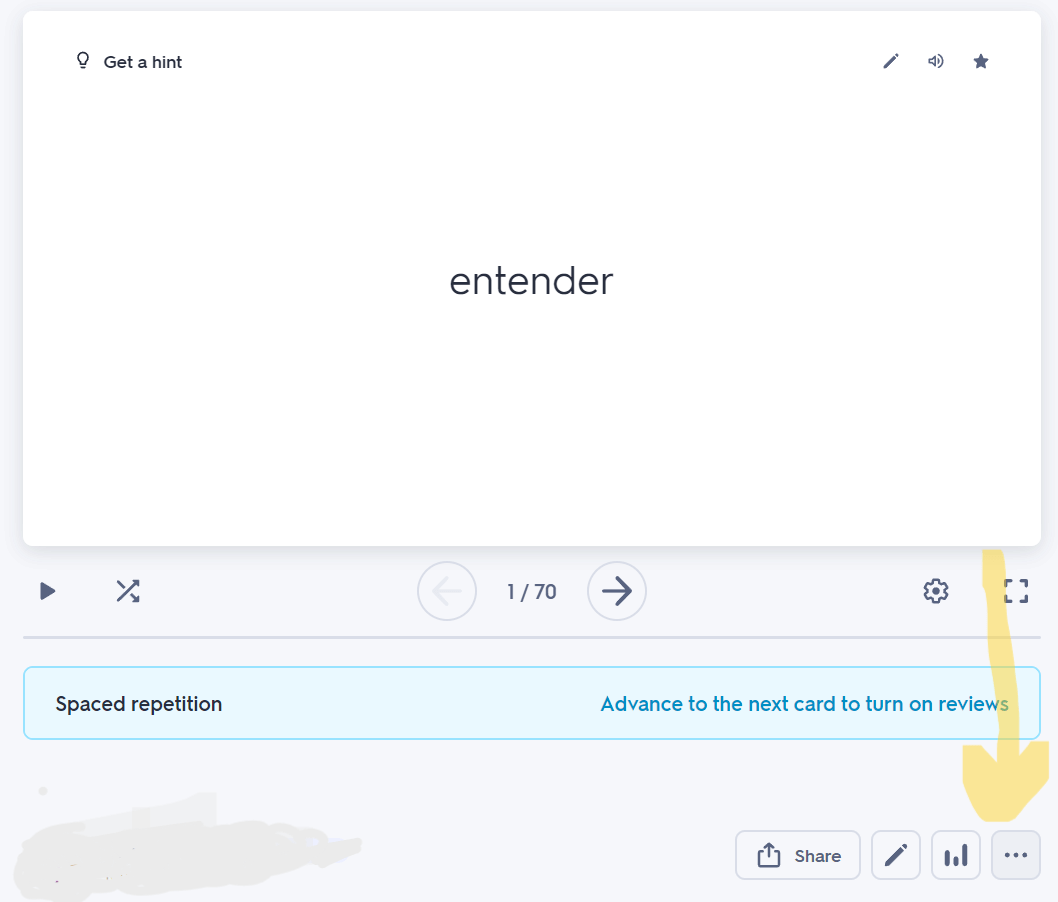
Using Quizlet Sets to Make Gimkit Sets in Seconds Are your students sick of Quizlet Live or Checkpoint? Did you create or find a quality vocab set on Quizlet, but want students to practice with that vocab on Gimkit instead? You’re in luck! There’s a super fast way to make a Gimkit set out of a Quizlet set, in a matter of seconds! Follow along with my screenshots & instructions for how to make a Gimkit set using a Quizlet set. Find the Quizlet set you want to use. Below the flashcards, click the 3 dots. It will expand with options for you to click. Click Export. Click Copy text. Open up Gimkit. Click New Kit. Title it, select the Language, Subject, click Next. Select a photo (it really doesn’t matter). On the left, select Create with Flashcards. Click Import Flashcards. ...